Basics tab
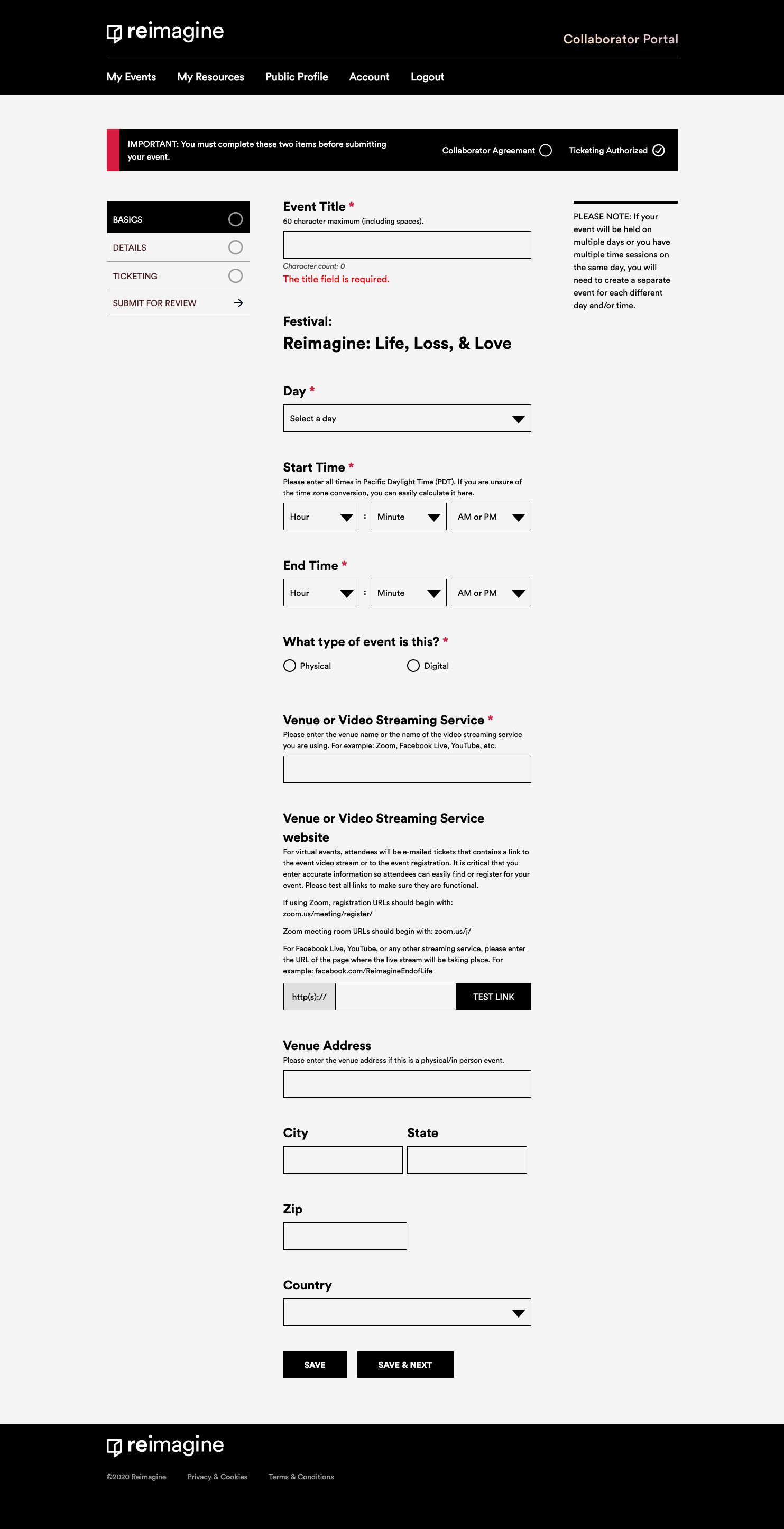
Date
Choose a date from the dropdown menu, which will correspond to the festival you are submitting for.
If you have an event that repeats over multiple days, you will need to create a separate entry for each event.
Start & End Time
You can choose any time to start and end your event. It is best to have start and end times fall on the hour or half-hour. If you are unsure of your event’s end time, please try to be as accurate as possible. You are required to include an end time. If you are hosting an event with multiple different time sessions over the same day, you must create a separate event entry for each time span.
Event Type
- Physical
- Virtual
NOTE: All events that are part of the Reimagine: Life, Loss, & Love 2020 Worldwide Virtual Festival must be virtual events, due to social distancing measures.
Venue or Video Streaming Service
Please enter the venue name or the name of the video streaming service you are using.
Examples of video streaming service names:
- Zoom
- Facebook Live
- YouTube Live
- Skype
Venue or Video Streaming Service website
For virtual events, attendees will be e-mailed a ticket that contains a link to the event video stream or to the event registration. It is critical that you enter accurate information so attendees can easily find or register for your event. Please test all links to make sure they are functional.
For Facebook Live, YouTube, or any other streaming service, please enter the URL of the page where the live stream will be taking place. For example facebook.com/ReimagineEndofLife
Venue Address
These are optional fields that are only required for physical events.
Comments
0 comments
Please sign in to leave a comment.